FlowControl enables you to limit the number of messages sent to your endpoint via delaying the delivery.
There are two limits that you can set with the FlowControl feature: Rate and Parallelism.
And if needed both parameters can be combined.
For the FlowControl, you need to choose a key first. This key is used to count the number of calls made to your endpoint.
There are not limits to number of keys you can use.
The rate/parallelism limits are not applied per url, they are applied per Flow-Control-Key.
Keep in mind that rate/period and parallelism info are kept on each publish separately. That means
if you change the rate/period or parallelism on a new publish, the old fired ones will not be affected. They will keep their flowControl config.
During the period that old publishes has not delivered but there are also the publishes with the new rates, QStash will effectively allow
the highest rate/period or highest parallelism. Eventually(after the old publishes are delivered), the new rate/period and parallelism will be used.
Rate and Period Parameters
The rate parameter specifies the maximum number of calls allowed within a given period. The period parameter allows you to specify the time window over which the rate limit is enforced. By default, the period is set to 1 second, but you can adjust it to control how frequently calls are allowed. For example, you can set a rate of 10 calls per minute as follows:
const client = new Client({ token: "<QSTASH_TOKEN>" });

await client.publishJSON({
    url: "https://example.com",
    body: { hello: "world" },
    flowControl: { key: "USER_GIVEN_KEY", rate: 10, period: "1m" },
});
Parallelism Limit
The parallelism limit is the number of calls that can be active at the same time.
Active means that the call is made to your endpoint and the response is not received yet.
You can set the parallelism limit to 10 calls active at the same time as follows:
const client = new Client({ token: "<QSTASH_TOKEN>" });

await client.publishJSON({
    url: "https://example.com",
    body: { hello: "world" },
    flowControl: { key: "USER_GIVEN_KEY", parallelism: 10 },
});
Rate, Parallelism, and Period Together
All three parameters can be combined. For example, with a rate of 10 per minute, parallelism of 20, and a period of 1 minute, QStash will trigger 10 calls in the first minute and another 10 in the next. Since none of them will have finished, the system will wait until one completes before triggering another.
const client = new Client({ token: "<QSTASH_TOKEN>" });

await client.publishJSON({
    url: "https://example.com",
    body: { hello: "world" },
    flowControl: { key: "USER_GIVEN_KEY", rate: 10, parallelism: 20, period: "1m" },
});
Management API
You can inspect and reset flow control keys programmatically using the flowControl namespace on the client.
List all flow control keys
Returns all active flow control keys along with their current metrics.
import { Client } from "@upstash/qstash";

const client = new Client({ token: "<QSTASH_TOKEN>" });

const controls = await client.flowControl.list();
// controls is an array of FlowControlInfo objects
console.log(controls);
curl -X GET "https://qstash.upstash.io/v2/flowControl?search=my-key" \
     -H "Authorization: Bearer <token>"
Get a single flow control key
Returns the current state and metrics for one flow control key.
import { Client } from "@upstash/qstash";

const client = new Client({ token: "<QSTASH_TOKEN>" });

const info = await client.flowControl.get("USER_GIVEN_KEY");
console.log(info);
// {
//   flowControlKey: "USER_GIVEN_KEY",
//   waitListSize: 5,
//   parallelismMax: 10,
//   parallelismCount: 3,
//   rateMax: 100,
//   rateCount: 42,
//   ratePeriod: 60,
//   ratePeriodStart: 1708000000
// }
| Field | Description |
|---|
flowControlKey | The flow control key name |
waitListSize | Number of messages currently waiting in the queue |
parallelismMax | Configured maximum concurrent messages (if set) |
parallelismCount | Number of messages currently running in parallel |
rateMax | Configured maximum messages per rate period (if set) |
rateCount | Number of messages dispatched in the current rate period |
ratePeriod | Rate period length in seconds |
ratePeriodStart | Unix timestamp when the current rate period started |
Reset a flow control key
Resets the counters for a flow control key. This is useful when you want to allow queued messages to be dispatched immediately, for example after recovering from a downstream outage.
import { Client } from "@upstash/qstash";

const client = new Client({ token: "<QSTASH_TOKEN>" });

await client.flowControl.reset("USER_GIVEN_KEY");
Monitor
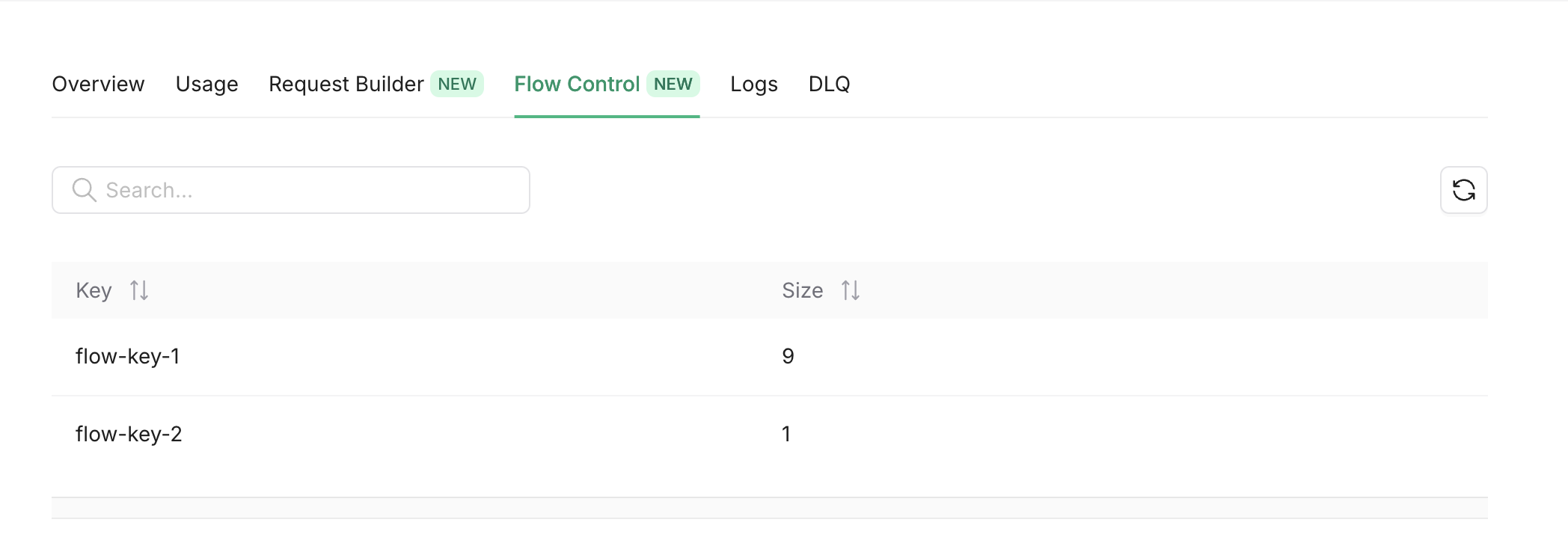
You can monitor wait list size of your flow control key’s from the console FlowControl tab.
Also you can get the same info using the REST API.